



How to Reduce Horizontal Machining Center Changeover Time: Digital Twin Simulation and Quick-Change Fixturing
Long changeover times can significantly reduce productivity in high-mix, low-volume manufacturing. When switching between different parts, horizontal machining centers (HMCs) often require fixture replacement, tool adjustments, NC program verification, and first-part inspection. These activities can keep machines idle for extended periods.
The most effective way to reduce HMC changeover time is to complete as much preparation as possible offline and simplify the remaining machine-side operations. Digital twin simulation helps verify programs and identify potential interference before production, while quick-change fixturing, zero-point clamping, and offline tool presetting reduce physical setup time.
This article explains how these technologies work together, how to implement them, and how to measure actual changeover time savings.
1. What Causes Long Changeover Times in Horizontal Machining Centers?
Three common factors contribute to excessive changeover time:
Fixture Replacement and Alignment
Traditional fixture replacement may require removing the previous fixture, installing new workholding equipment, and manually adjusting its position. Complex workpieces or repeated alignment procedures can extend machine downtime.
Tool Preparation and Adjustment
Different workpieces often require different cutting tools. Measuring tool dimensions, changing toolholders, and updating offsets directly on the machine can delay production.
NC Program Verification
New or modified programs require verification of toolpaths, work offsets, machining sequences, and potential interference. Performing these checks entirely on the physical machine increases setup time.
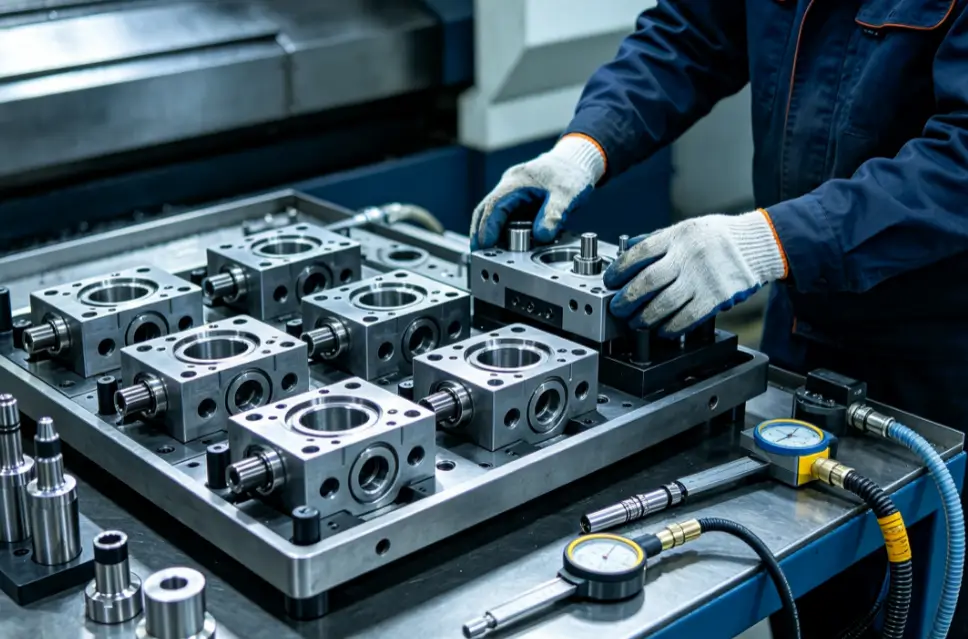
Internal vs. External Setup
A key principle of efficient changeover is separating activities that require machine downtime from those that can be completed beforehand.
| Setup Activity | Recommended Approach |
|---|---|
| NC program preparation and simulation | Complete offline |
| Fixture assembly | Prepare outside the machine |
| Tool measurement and presetting | Complete offline |
| Fixture installation and clamping | Perform on the machine |
| Work offset and safety verification | Confirm on the machine |
| First-part machining and inspection | Complete before releasing the next production run |
Moving preparation tasks outside the machine's downtime window can reduce changeover time without sacrificing necessary safety and quality checks.
2. How Digital Twin Simulation Reduces Setup Time
Digital simulation allows manufacturers to prepare and verify machining operations before the next production job begins.
Depending on the software and machine model, simulation can help identify potential toolpath errors, axis movement conflicts, and interference between tools, fixtures, and machine components.
2.1 Virtual Program Verification
A suitable simulation environment may include the machine's kinematics, axis travel limits, workpiece geometry, fixtures, cutting tools, and relevant CNC behavior.
Engineers can use this environment to review:
- NC toolpaths and machining sequences
- Tool and fixture clearance
- Rotary-axis movements
- Potential collisions and programming errors
These checks can be performed while the machining center continues producing the previous job.
However, conventional CAM simulation, machine kinematic simulation, and CNC digital twins offer different levels of verification. A complete digital twin requires accurate machine-specific information and compatible software.
For example, Siemens Run MyVirtual Machine supports offline program verification using virtual SINUMERIK control technology.
2.2 Transfer Programs and Verify the Actual Setup
After simulation, the approved NC program and relevant setup information can be transferred using interfaces supported by the machine's CNC system.
Operators must still confirm tool assignments, work offsets, fixture clamping, and machine clearance before production.
Virtual simulation reduces avoidable on-machine troubleshooting, but it does not replace physical setup verification or required first-part inspection.
For simpler machining operations, conventional CAM verification may provide sufficient benefits without requiring a complete digital twin system.
3. Quick-Change Fixturing and Offline Preparation
While simulation reduces programming-related delays, quick-change systems help shorten physical setup operations.
3.1 Zero-Point Clamping and Modular Fixtures
A zero-point clamping system provides a repeatable locating interface between the machine table and compatible fixtures or pallets.
Instead of repeatedly aligning fixtures from the beginning, operators can prepare the next fixture outside the machine and install it using standardized locating elements.
Combining zero-point clamping with modular fixtures offers several advantages:
- Faster fixture replacement
- Reduced manual alignment work
- More consistent fixture positioning
- Easier preparation of different workpiece configurations
For example, related workpieces may share a standardized fixture base while using interchangeable locating and clamping components.
However, positioning repeatability, clamping capacity, and fixture rigidity must meet the actual machining requirements.
3.2 Offline Tool Presetting
Offline tool presetting allows tool dimensions to be measured before the machine stops.
Tool length, diameter, and relevant offset information can be prepared in advance, reducing the time spent measuring and adjusting tools during the changeover.
Where machine configuration permits, commonly used tools can remain in the magazine between jobs, further reducing tool preparation time.
Tool data must still be transferred and verified according to the machine's requirements.
3.3 Standardized NC Programs and Setup Procedures
A standardized program library helps operators prepare the correct program, tooling, and fixture information before the next job.
Each job record should identify the approved NC program, required tools, fixture configuration, work offsets, and inspection requirements.
Clear setup instructions reduce dependence on individual operator experience and help prevent avoidable errors.
The greatest benefit comes from combining external fixture preparation, offline tool presetting, and reliable program management—not simply installing faster clamping hardware.
4. How to Calculate Changeover Time Savings
Manufacturers should measure changeover time consistently, ideally from the last acceptable part of the previous job to the first acceptable part of the next job.
Consider a hypothetical HMC changeover that originally requires 120 minutes.
After introducing offline simulation, prepared fixtures, tool presetting, and standardized setup procedures, the time distribution might change as follows:
| Changeover Activity | Before | After |
|---|---|---|
| Fixture replacement and alignment | 35 min | 12 min |
| Tool-related machine setup | 30 min | 8 min |
| On-machine program and setup verification | 45 min | 10 min |
| First-part machining and inspection | 10 min | 10 min |
| Total Changeover Time | 120 min | 40 min |
Illustrative calculation only. Actual results depend on the machine, workpiece, and production process.
Changeover Time Reduction (%) = (Original Time − Optimized Time) ÷ Original Time × 100%
= (120 − 40) ÷ 120 × 100%
Changeover Time Reduction = 66.7%
If the machine performs one changeover per operating day over 250 days:
Annual Time Recovered = 80 × 250 ÷ 60 = 333.3 hours
This represents potential production time recovered annually.
Offline preparation still requires engineering and labor time, even though it no longer occupies the machining center.
Furthermore, recovered time does not automatically translate into additional output. Actual productivity improvements depend on machining cycle time, available orders, equipment reliability, and part quality.
5. Choosing the Right Changeover Optimization Strategy
Not every workshop needs a complete digital twin and an advanced quick-change system.
The appropriate investment depends on the primary source of lost production time.
| Main Bottleneck | Recommended Improvement |
|---|---|
| Excessive on-machine program debugging | Offline CAM or digital twin simulation |
| Repeated fixture alignment | Zero-point clamping and modular fixtures |
| Long tool measurement and adjustment time | Offline tool presetting |
| Incorrect programs or inconsistent setup data | Standardized program and setup management |
| Frequent changeovers across multiple part families | Combine appropriate offline preparation and quick-change solutions |
Before implementation, manufacturers should verify machine compatibility, fixture rigidity, CNC interfaces, and required safety procedures.
For older machines, quick-change fixturing and offline preparation may be possible without extensive control-system modifications. Digital twin compatibility, however, depends on the available machine data, software, and controller configuration.
The best approach is to identify the largest source of changeover downtime and address it first.
Conclusion
Reducing horizontal machining center changeover time requires more than faster fixture replacement.
Digital twin simulation can reduce on-machine program verification and troubleshooting, while zero-point clamping, modular fixtures, and offline tool presetting simplify physical setup. Standardized program management helps maintain consistent results across different jobs and operators.
By moving suitable preparation tasks offline and improving machine-side operations, manufacturers can reduce unnecessary downtime while maintaining machining accuracy and safety.
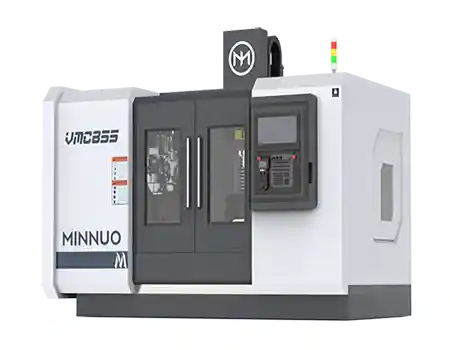
For information about horizontal machining centers and suitable production configurations, contact MINNUO to discuss your machining requirements.
Effective changeover optimization means reducing machine downtime through better preparation, faster workholding, and reliable verification—not relying on a fixed improvement percentage.
Frequently Asked Questions (FAQ)
Q1. How can I reduce horizontal machining center changeover time?
A:Prepare NC programs, fixtures, and tools offline whenever possible. Use suitable quick-change fixturing and standardized setup procedures to reduce the operations that must be performed while the machine is stopped.
Q2. Is a digital twin necessary for faster CNC changeovers?
A:No. Digital twins are useful for complex machining and frequent program changes, but conventional CAM simulation and improved setup procedures may be sufficient for simpler applications.
3. Can zero-point clamping improve changeover efficiency without affecting accuracy?
A properly selected system can reduce repeated fixture alignment and provide consistent positioning. However, clamping capacity, installation conditions, and actual workpiece accuracy must still be verified.
Q4. Can older horizontal machining centers be upgraded for faster changeovers?
A:Often, yes. Quick-change fixtures, offline tool presetting, and standardized program management may be implemented on compatible older machines. Advanced digital twin integration requires a separate evaluation of the CNC system and available machine data.
 Email
Email sales1: +86 15312799623